Social Media Workshop – Practical Strategies for Effective use of Social Media in the Promotion of Oral Health, Wednesday 11 April 2018
Thank you for attending the presentation at the NZ Dental forum. Click on the button to download the slides.
 Feel free to share your new knowledge internally with your respective teams, but please help us protect our intellectual property by refraining from reproducing, copying, selling, publishing, redistributing or sharing the presentation to any third party, thank you.
I hope you enjoyed the Social Media Workshop and found this valuable. For the latest social media updates and tips make sure you like our Cre8ive Facebook page.
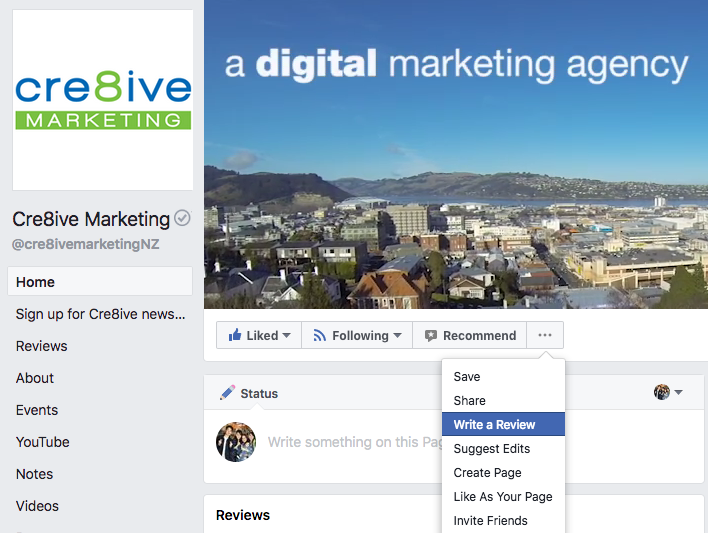
Please feel free to post feedback on www.facebook.com/cre8ivemarketingnz by going to the Cre8ive page and clicking the dots beside ‘Recommend’. Thanks!
Resources
Check out our Resources section or Cre8ive’s Insights where we try to provide interesting and topical articles about all facets of marketing.
How to Install and Use the Facebook Pixel
Do’s and Don’ts of Running a Contest on Facebook
8 Instagram Hacks and Tips all Brands Should Know
How to Write a Social Media Policy
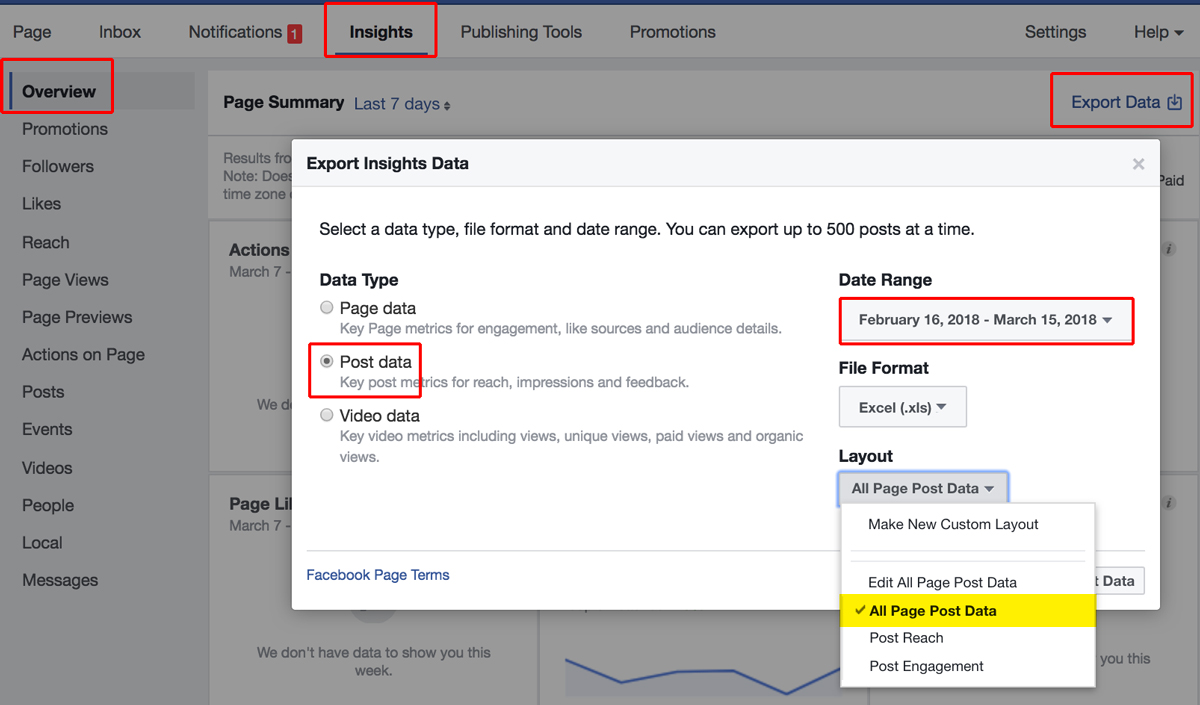
How to Find Negative Feedback on Facebook
Go to Insights > Overview > Export Data
Then select the date range you want to review, click on ‘post data’ and ‘all page post data’ The excel file will contain a number of tabs with interesting information to review as well but look for the one that mentions ‘negative feedback’.